# Task
Tasks are individual steps within an operation that need to be completed by assigned users. Tasks provide a clear road-map for users to follow and help them stay on track throughout the process.
# List Tasks
- Go to the "Tasks" section in the left menu.

- You will see a list of all tasks has been created in the application.
- The list provides essential information about each task, such as the name, Operation, Assigned To, Action dDate, Due Date, Type, Status etc.
Actioncolumn shows Assign Task action to re-assign task to other user. (This action is visible only if has appropriate permission)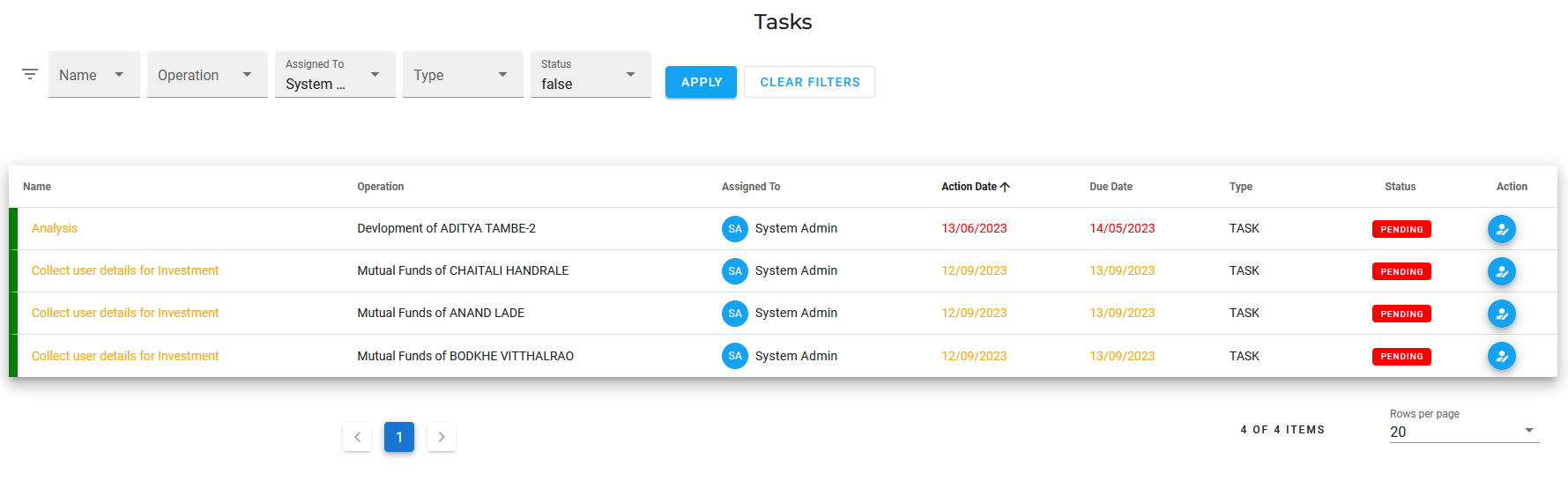
# Update Task
- Go to the "Tasks" section in the left menu.
- Locate the task you want to update from the list of existing taskss.
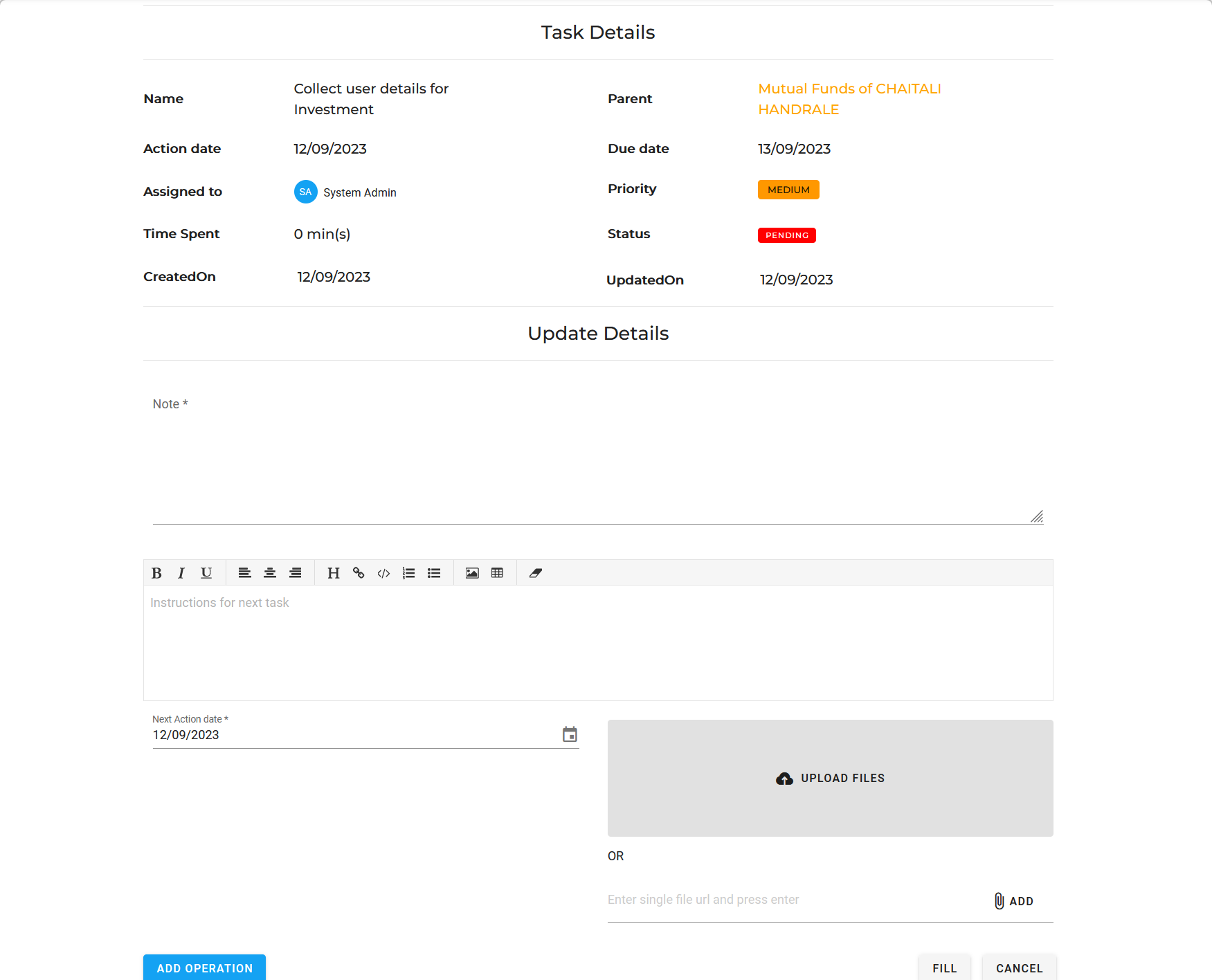
- Click on the task name.
- In the detailed view, you can see additional information related to the task.
You can add note for the task ,upload document related to the task ,update the action date and create operation from here. - Click on the "Action" button to apply the changes to the operation.